European Union flag
EU Login Portal

How to Delete your EU Login Account

If you want to delete your EU Login account, please see below how to proceed.   

Valid for

Note: This applies only to normal self registered accounts (where the unique ID starts with the letter 'n'). If you have created a virtual account using the "Sign in with eID" option please consult: Can I merge two EU Login accounts?

 1. Go to My Account.
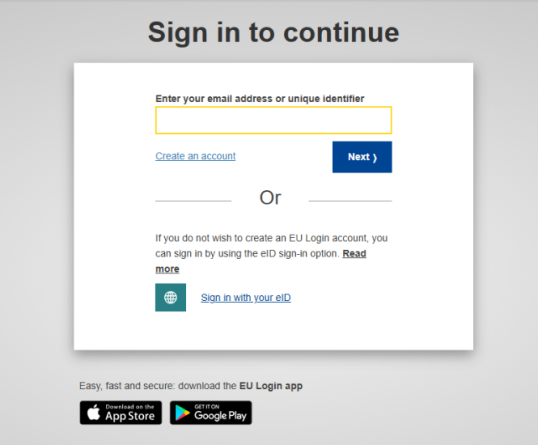
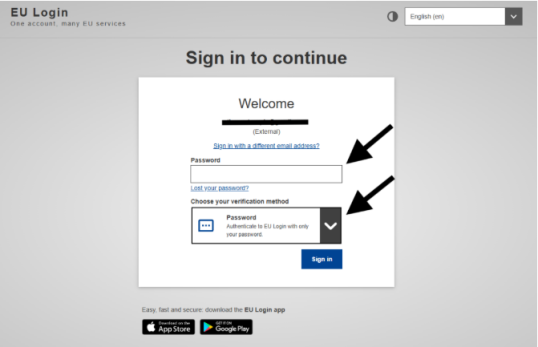
2. Login with your email address + password 

Create an account
Sign in with password


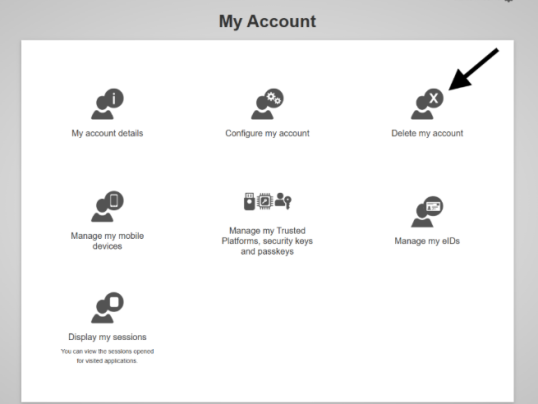
3. Click on "Delete your account".

Delete my account

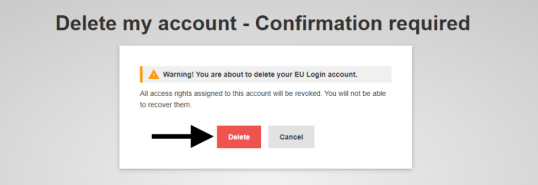
4. Confirm the deletion by clicking the red “Delete” button.

Confirm deletion

Please note: Once an account is deleted, it cannot be reactivated and all associated data will be permanently lost.