How to sign in
You can use the EU Login Mobile App to securely access EU services. This method uses either a PIN code or biometric authentication (fingerprint or face ID) on your registered mobile device.
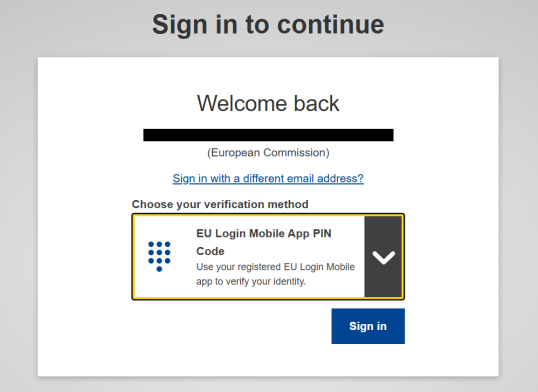
1. Start Login on Your Browser: Login.
- Enter your email address.
- Choose EU Login Mobile App PIN Code as the verification method.
Click Sign in.
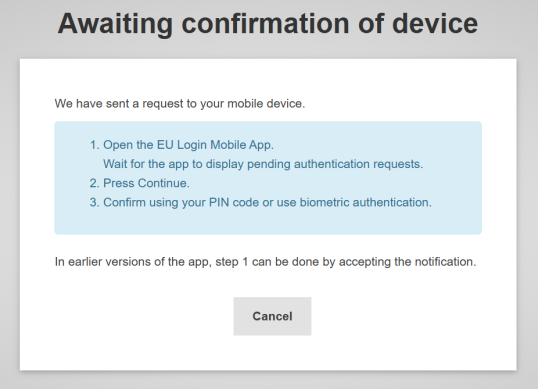
2. Awaiting Confirmation of Device (Browser)
Your browser now shows:
“Awaiting confirmation of device”
It instructs you to:
Open the EU Login Mobile app.
Wait for pending authentication requests.
- Press Continue.
- Confirm using your PIN or biometrics.
This page remains open until confirmation happens on your phone.
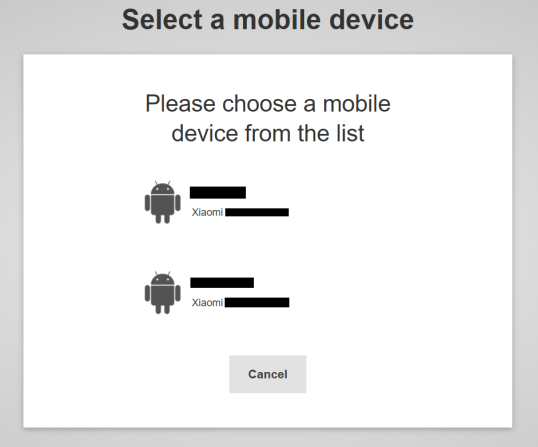
3. If you have more than one registered mobile device, you will be asked to select the one you wish to use.
4. Approve the Login on Your Phone
On your phone:
- Open the EU Login Mobile app.
Tap Pending authentication requests.
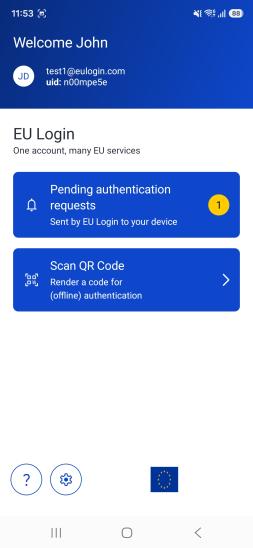
- Review the request (service name, date and time).
Tap Continue.
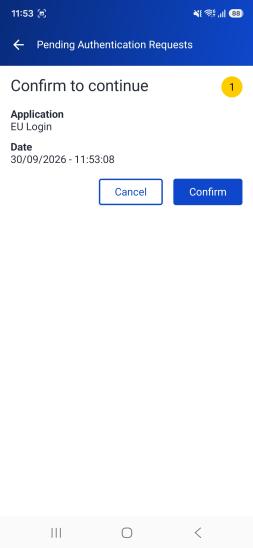
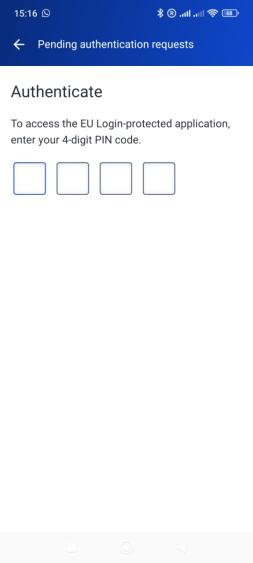
- Authenticate using:
your 4-digit PIN
or
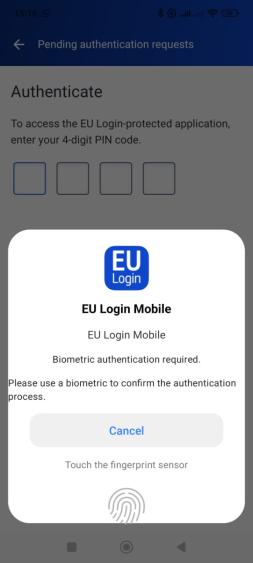
- Authenticate using:
- biometric recognition (fingerprint/ face ID), if enabled.
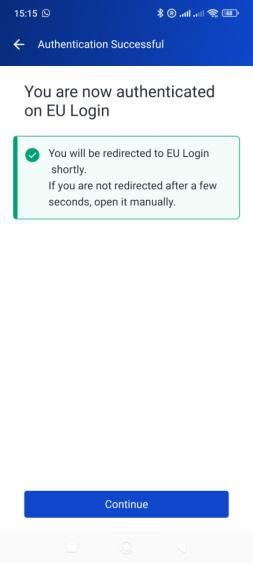
5. The authentication process will then automatically complete on your computer, granting you access to the requested service. An “Authentication successful” message will appear.