
The “On Mobile” verification method is only available when browsing on a mobile device and should be used only if the EU Login Mobile App has been previously installed and initialized on that device.
From the EU Login authentication page, you may either directly sign in using the On Mobile authentication, or use it as a second factor.
1. Select “On Mobile Authentication” as the verification method and tap “Sign in.”
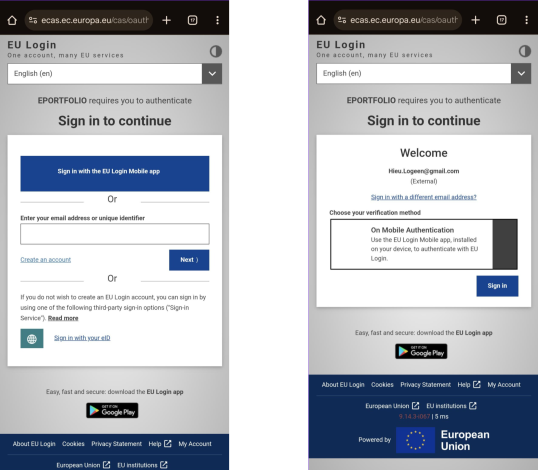
2. The EU Login Mobile App opens automatically and prompts you to enter your PIN code.
3. Enter your PIN code.
4. You are now successfully authenticated and redirected to the requested web page.