
How to sign in
Once your EU Login account has been created, you can use it to access multiple EU services. When authentication is required, the EU Login screen will appear.
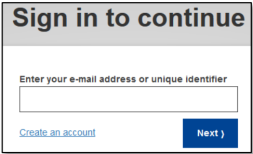
1. Enter the email address associated to your EU Login account and click Next.
2. If you enter an incorrect email address, you will be redirected to the Create EU Login account page.
3. If you select “Remember me”, your email address will be stored so that you can skip this step next time you log in from the same browser and computer.
Why am I not asked for my password each time I connect?
After signing in, you will benefit from Automatic Sign-On (also called Single Sign-On or SSO), which allows you to access multiple EU websites without re-entering your credentials.
To make authentication both secure and convenient, EU Login uses Adaptive Authentication. This mechanism may sometimes skip the password step or request an additional verification factor, depending on a risk assessment that considers elements such as your location, browser, network, and language.
This process allows you to move easily between EU services while maintaining a high level of security.